

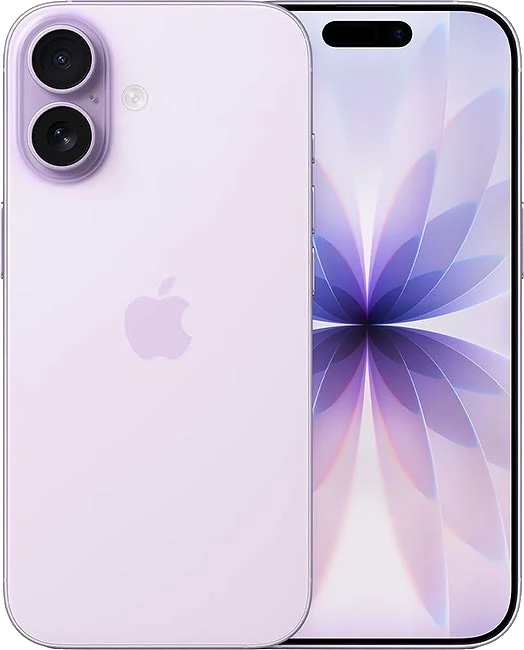
In case you need to unlock your iPhone 17, the service provider can send you the iPhone unlocking totally for FREE, but you must submit the following requirements, such as being the original owner of the device and having completed the contract period with the carrier. It is a difficult situation if you are not the first iPhone´s owner, but our unlocking service solve your problem. Simply choose your model and the original carrier, make the payment and wait to receive the unlock authorization by email.
Simply choose your model and the original carrier, make the payment and wait to receive the unlock authorization by email.
Yes, of course, the unlock is never removed, you can update iOS as many times as you want and you can even reset your Apple device.
You can use your iPhone with any SIM cards.
You have two options to check it:
First option: You can insert SIM cards from different carriers. Inserting different SIM cards to test if it takes signal. When the Apple device has coverage it means that it is unlocked.
Second option: If you don't have a different SIM cards to test, or you don't know the original network, you can use our CHECK IMEI service to know the original carrier.
Freedom to use any network around the world
100% Legal. You don’t need modifying or jailbreaking the iPhone.
Permanently unlock your iPhone 17 from your home.
Search a cheaper tariff.
Our unlocking server is an official Apple authorization and forever, you can update iOS always.
Deleting the iCloud account is totally different from freeing the network, our service only unlock the carrier lock.
Unlock iPhone through WiFi or mobile data.
"Ladrones solo es scam!"
"MY ONLY REACTION"
"EN RESUMEN NO HAY QUE DISCONFIAR 100% GARANTIZADO DESDE HONDURAS IPHONE 12 PRO MAX EN 27 HORAS APROXIMADAMENTE "
"De lo mejor de la red para celulares"
"Thanks"

© 2026 Grupo Redmobile S.L · Terms · Terms & Conditions · Cookies