

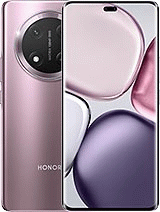
If you need to unlock a Honor Magic7 Lite from home, you should call the network provider who has sold you the device, because it is the only way to obtain the SIM network unlock PIN for free. You must know that you need to fulfill the carrier's requirements, such as being the cell phone plan owner. Our company is dedicated to calculate unlocking codes by IMEI, we work with official unlocking servers and we send the same code as the carrier.
The easiest way to unlock a Magic7 Lite is to get the official unlock code thanks to our Honor servers, when you put SIM cards from other network providers, the phone will require the unlock code, if you want to get it in a few hours, order it and we will send it to your email.
It should be noted that to unlock a Honor device, sometimes, the unfreeze MCK code is required (if the attempts are exhausted, so the mobile phone will show - SIM network PIN blocked. Enter SIM network PUK - ) or could be necessary the regional code RGCK (if you are going to use the mobile in another continent or region), in our company we also provide these unlock codes.
Certainly not, our unlocks are official and forever, you can update Android without any problem.
Unlocking method is for any SIM card with any carriers and countries.
If the Magic7 Lite accepts the SIM card but does not allow you to send or to receive any call, it could be because the IMEI is blacklisted due to loss, theft or unpaid bills. Even if SIM unlocking is achieved, it is necessary to fix the IMEI problem contacting the carrier.
1. - Turn on the handset on with a SIM card not accepted by the device (your new network operator)
2. - If the card has a PIN number, enter it and press OK.
3. - The device will prompt: “Network lock”, Now enter the code and press OK.
4. - Your phone will indicate: "The operation was successful", becoming permanently unlocked.
4b.- If your phone inidcates SIM lock, introduce secondary code, and press OK, then dial the code again from step 3.
"Very good service!"

© 2026 Grupo Redmobile S.L · Terms · Terms & Conditions · Cookies