

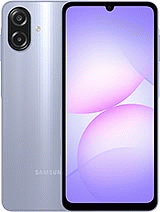
If you want to get the unlocking code for your Samsung Galaxy A07 4G, we recommend you to contact to the original carrier, they can provide you the SIM network unlock PIN totally for FREE, but you must comply these requirements; you must be the original owner and have paid all pending bills. When you have not obtained the unlock code because you do not fulfill the carrier requirements, you can prompt the unlocking on our website.
The fastest method to obtain the unlocking is ordering in our website, when other SIM cards are inserted, and your Samsung Galaxy A07 4G asks you for the code; you must fill out the questionnaire and in a few hours you will receive an email with the unlock instructions.
It should be noted that to unlock a Samsung device, sometimes, the unfreeze MCK code is required (if the attempts are exhausted, so the mobile phone will show - SIM network PIN blocked. Enter SIM network PUK - ) or could be necessary the regional code RGCK (if you are going to use the mobile in another continent or region), in our company we also provide these unlock codes.
No, our unlock is never removed, you can update your phone as many times as you want or even reset your mobile.
Our unlock allows you to use any SIM from your country and from all countries of the world.
When a Galaxy A07 4G does not reject your new SIM card but does not allow you to make calls, it is most likely that the IMEI has been blacklisted. You need to contact with the carrier to solve it.
The United States AT&T, Cricket, metroPCS and T-Mobile carriers can lock the Galaxy A07 4G and do not request the SIM network unlock PIN because they lock the devices through an application called Device Unlock, this is already in your standard cell. You only purchase the unlocking and when our server approves it, simply access Device Unlock and click on Permanent Unlock.
The Samsung Galaxy A07 4G from Sprint, Verizon, Tracfone, Boost Mobile, StraightTalk or Simple Mobile from United States also do not prompt for the SIM network unlock PIN, these smartphones are blocked by the carrier customized firmware. We can remove the network restriction for these cells, but it must be unlocked through software and sometimes with remote help from one of our technicians.
1. - Turn on the handset on with a SIM card not accepted by the device (your new network operator)
2. - If the card has a PIN number, enter it and press OK.
3. - The device will prompt: “Network lock”, Now enter the code and press OK.
4. - Your phone will indicate: "The operation was successful", becoming permanently unlocked.
Unfreeze code: If the code in step 3 does not work, type the secondary code and press Unlock, the phone will indicate Unlock fail, now dial the code again from step 3.
Device Unlock app method:
1. - Make sure you have an active data connection via mobile data or Wi-Fi.
2.- From the Application list, tap Device Unlock, the application is pre installed in your device.
3.- Choose the Permanent Unlock.
4.- Restart the device.
"Excelente página para desbloquear teléfonos"
"Perfect service"
"El servicio ha sido de 10!"
"Respuesta excelente liberé el celular"
"Great service."

© 2026 Grupo Redmobile S.L · Terms · Terms & Conditions · Cookies